Getting your WhatsApp message templates rejected is frustrating, especially when you have a campaign ready to go. Many businesses spend days writing templates only to see them declined by Meta with little explanation. If you want real whatsapp message template approval tips that actually work, you need to understand what Meta looks for, what it rejects, and how to structure your content before you even hit submit. The good news is that approvals are predictable once you know the rules.
What Is a WhatsApp Business Message Template and Why Does Approval Matter?
A WhatsApp Business message template is a pre-approved message format that businesses use to contact customers outside the 24-hour customer service window. Meta reviews every template before it goes live.
If your template gets rejected, you cannot send that message. Period. No workaround, no quick fix. This makes the approval process one of the most important steps in any WhatsApp marketing strategy.
Understanding how to create whatsapp business template the right way is not optional. It directly affects whether your campaigns run on time or stall for days.
Why Do WhatsApp Templates Get Rejected? (The Real Reasons)
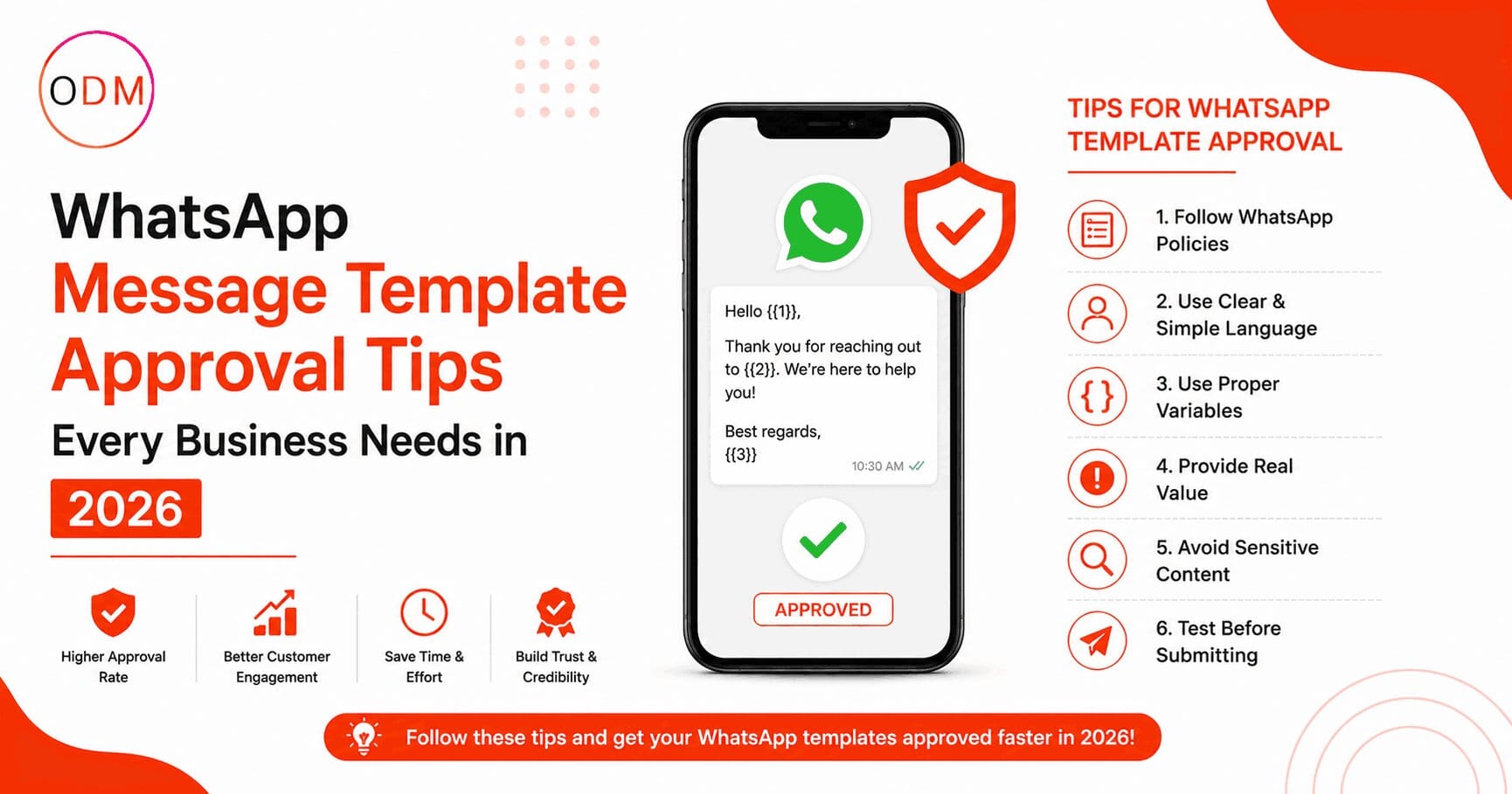
Most rejections are not random. They follow patterns. Here are the most common reasons Meta declines templates:
1. Promotional language without a clear purpose Meta does not want pure sales messages. Templates that open with discount offers, flash sale urgency, or phrases like “Buy now before it’s too late” are frequently rejected.
2. Vague or missing placeholder context If your template uses variables like {{1}} or {{2}}, Meta needs to understand what those variables will contain. When the context is unclear, the template gets flagged.
3. Misleading or unclear sender identity Templates that do not clearly represent who the business is, or that could confuse the customer about who is contacting them, are rejected.
4. Policy violations Content related to alcohol, gambling, financial products, or health claims must follow strict Meta advertising policies. Even subtle violations cause rejections.
5. Grammar errors and formatting issues Poorly written templates signal low quality. Meta’s automated systems and reviewers both flag these.
How to Create WhatsApp Business Template That Gets Approved: Step-by-Step
This is the section where most businesses need real guidance. Follow these steps to improve your approval rate significantly.
Step 1: Choose the right template category
Meta now requires you to select from specific categories: Utility, Authentication, or Marketing. Selecting the wrong one is one of the most common mistakes. If you are sending an order confirmation, choose Utility. If you are sending a promotional offer, choose Marketing.
Knowing how to create whatsapp business template starts with accurate categorisation.
Step 2: Write a clear, specific message body
Your message should have one clear purpose. Do not combine a transaction update with a sales pitch in the same template. Meta views mixed-intent messages with suspicion.
Keep sentences short. Use plain language. Write it the way you would actually speak to a customer.
Step 3: Provide meaningful variable examples
Every placeholder variable must be accompanied by a realistic example. If your template says “Hello {{1}}”, your example should show “Hello Priya” or a real-sounding name. Generic examples like “Hello [NAME]” can trigger rejections.
Step 4: Avoid banned content and phrases
Meta has a list of restricted content categories. Even if your business is legitimate, certain phrases around loans, medical advice, or investment returns will get your template declined. Review Meta’s Commerce Policy before submitting.
Step 5: Use a professional tone without pressure tactics
Phrases that create false urgency, fear of missing out, or pressure to act immediately are red flags. Instead, write informative, helpful messages that give the customer value without pushing.
Step 6: Review and test before submission
Read your template out loud. If it sounds like spam, it probably reads like spam. Use the WhatsApp Business Manager preview tool before you submit.
A professional whatsapp template creation service follows all six of these steps as a baseline, not an afterthought.
What Does a High-Approval Template Actually Look Like?
Here is a practical example of how this works in real life.
A clothing brand in Mumbai was running WhatsApp campaigns for their seasonal sale. Their original template read:
“Hurry! 50% off ends tonight. Shop now before it’s too late!”
This was rejected three times. They contacted a whatsapp marketing agency to restructure the template. The revised version read:
“Hi {{1}}, your early access to our seasonal collection is ready. Browse the latest arrivals here: {{2}}”
That template was approved within 24 hours. The message still promoted the sale, but framed it as a customer benefit with early access rather than pressure. It had a clear variable structure, a defined purpose, and no policy-violating language.
The difference was not just wording. It was understanding how Meta’s review system thinks.
WhatsApp Template Categories You Must Understand Before Creating
Getting clear on template categories is one of the most practical whatsapp message template approval tips you can follow.
Utility Templates Used for transactional messages: order confirmations, shipping updates, appointment reminders, account alerts. These get approved faster because they have a clear, expected customer benefit.
Authentication Templates Specifically for one-time passwords and verification codes. These follow the strictest format rules but have the highest approval rates because the use case is unambiguous.
Marketing Templates Used for promotional content, product launches, offers, and re-engagement campaigns. These face the most scrutiny. A well-structured marketing template from an experienced whatsapp template creation service will significantly outperform a self-written one.
Understanding which category fits your message before you write it saves time and avoids multiple rejection cycles.
Are You Making These Template Mistakes Right Now?
Take a moment to evaluate your current template library. Ask yourself these questions:
Do your templates mix transactional and promotional content in one message?
Are your variable examples realistic and specific?
Have you reviewed Meta’s restricted content categories against every template you use?
Do your templates clearly identify your business without ambiguity?
If you answered “not sure” to any of these, there is a good chance some of your templates are either rejected or at risk. This is where working with a whatsapp marketing agency that specialises in WhatsApp Business can make a measurable difference.
If you want an honest review of your current templates and campaign structure, the team at Online Dot Marketing can help. Reach out at https://onlinedotmarketing.com/contact-us for a consultation.
How a WhatsApp Template Creation Service Handles Approvals Differently
Most businesses treat template creation as a writing task. Professional agencies treat it as a compliance and strategy task.
A dedicated whatsapp template creation service understands Meta’s review guidelines at a technical level. They know which content patterns trigger automated rejections, which categories have stricter human review, and how to structure variables in a way that communicates clear intent to the reviewer.
Beyond compliance, a whatsapp template creation service manages the resubmission process when templates are rejected, which requires specific edits rather than rewrites. This saves businesses hours of back-and-forth with Meta’s support system.
A good whatsapp marketing agency will also align your template strategy with your broader campaign calendar so approvals are ready before the campaign launch date, not scrambling the night before.
The result is fewer rejections, faster approvals, and campaigns that run on time.
Stop Losing Campaign Days to Template Rejections
If your WhatsApp templates keep getting rejected, or if you are spending too much time trying to figure out Meta’s review process on your own, that time is costing you real money and real campaign momentum.
Online Dot Marketing is a results-focused whatsapp marketing agency that handles the full process: template writing, category selection, variable structuring, compliance checks, and resubmission management. Whether you are building your first WhatsApp campaign or fixing a library of rejected templates, the team brings practical experience that saves you time and gets your messages running.
A specialist whatsapp template creation service approach means your templates are built correctly before submission, not after three rounds of rejection.
Meta Title: WhatsApp Message Template Approval Tips That Work Meta Description: Struggling with rejected templates? Use expert whatsapp template creation service and whatsapp marketing agency strategies to get approved faster. Keyword whatsapp message template approval tips how to create whatsapp business template whatsapp template creation service whatsapp marketing agency
Frequently Asked Questions About WhatsApp Template Approvals
How long does WhatsApp template approval usually take in 2026?
Most templates are reviewed within 24 hours. Some may take up to 48 hours if they require human review. Marketing category templates and those with sensitive content claims tend to take longer than utility or authentication templates.
Can I resubmit a rejected WhatsApp template without changes?
No. Resubmitting the same template without edits will result in another rejection. You must identify the specific reason for rejection and make clear changes before resubmitting. Repeated rejections can affect your account quality rating.
What is the difference between a utility and a marketing template?
A utility template serves a transactional purpose like an order update or appointment reminder. A marketing template promotes a product, service, or offer. Choosing the wrong category is a common reason for rejection and approval delays.
Does using a WhatsApp template creation service guarantee approvals?
No service can guarantee approvals since Meta controls the review process. However, a professional whatsapp template creation service significantly improves approval rates by applying compliance knowledge, avoiding common rejection triggers, and structuring templates correctly from the start.
How many variables can I use in a single WhatsApp template?
Meta does not set a hard limit on the number of variables, but using too many can make the template seem unclear or unpredictable to reviewers. Best practice is to use the minimum number of variables needed to personalise the message effectively.
Why was my WhatsApp template approved but then later paused?
Meta can pause approved templates if they receive negative feedback from recipients or if the template is reported. High block rates or low engagement can also trigger a pause. Maintaining quality content and sending to opted-in users reduces this risk significantly.